
01
Omnichannel selling
Keep store and online sales connected through one commerce workflow.
Technology consulting and digital engineering for ambitious businesses
RetailPOS connects billing, inventory, purchases, customers, payments, accounts, GST and reporting in one business system for independent stores and multi-location retailers.
POS, stock, accounts and more
Scale without per-user limits
Tax-aware retail workflows
Connected retail operations
Give store teams the tools to sell confidently while management maintains control over stock, customers and performance.
Keep store and online sales connected through one commerce workflow.
Track stock, transfers and availability across every retail location.
Bring purchase history, preferences and engagement into one view.
Configure rewards, promotions, bundles and repeat-customer offers.
Serve customers from compatible tablets and smartphones.
Create GST-ready invoices, tax summaries and e-Way bill workflows.
Manage locations, registers, pricing and branch-wise stock from one dashboard.
Record cash, card, UPI, cheque and bank payments against the right account.
Give owners, managers, cashiers and accountants access to only what they need.
Review profit and loss, tax, stock valuation, cash flow and best sellers live.
Generate barcode labels and print thermal receipts using standard formats.
Track expenses, cash and bank movements with clear running balances.
Inside RetailPOS
Real RetailPOS screens—from business oversight to checkout and transaction recovery—so you can evaluate the workflow before a demo.
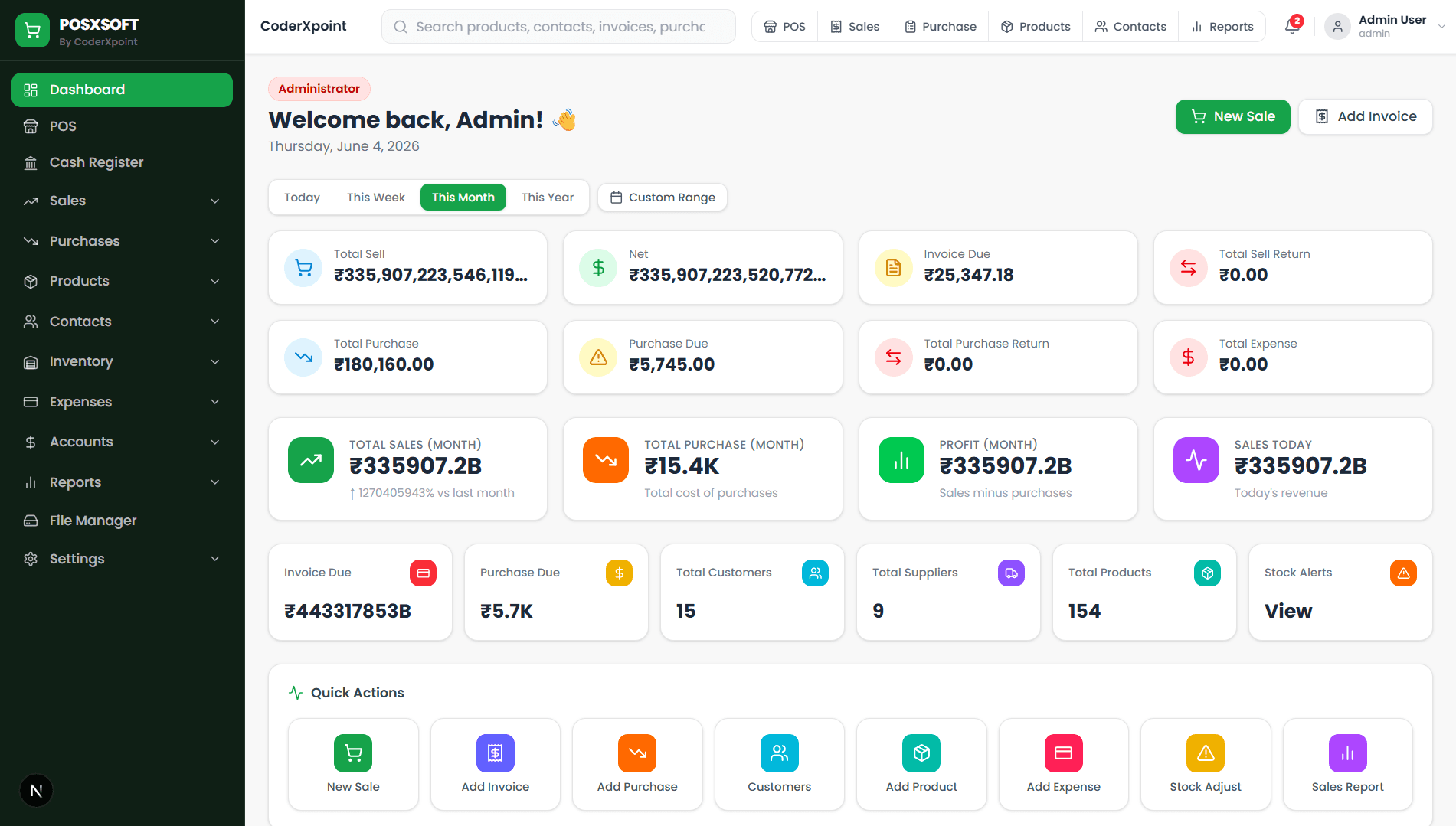
Sales, purchases, dues, expenses, profit and stock alerts in one operating view.
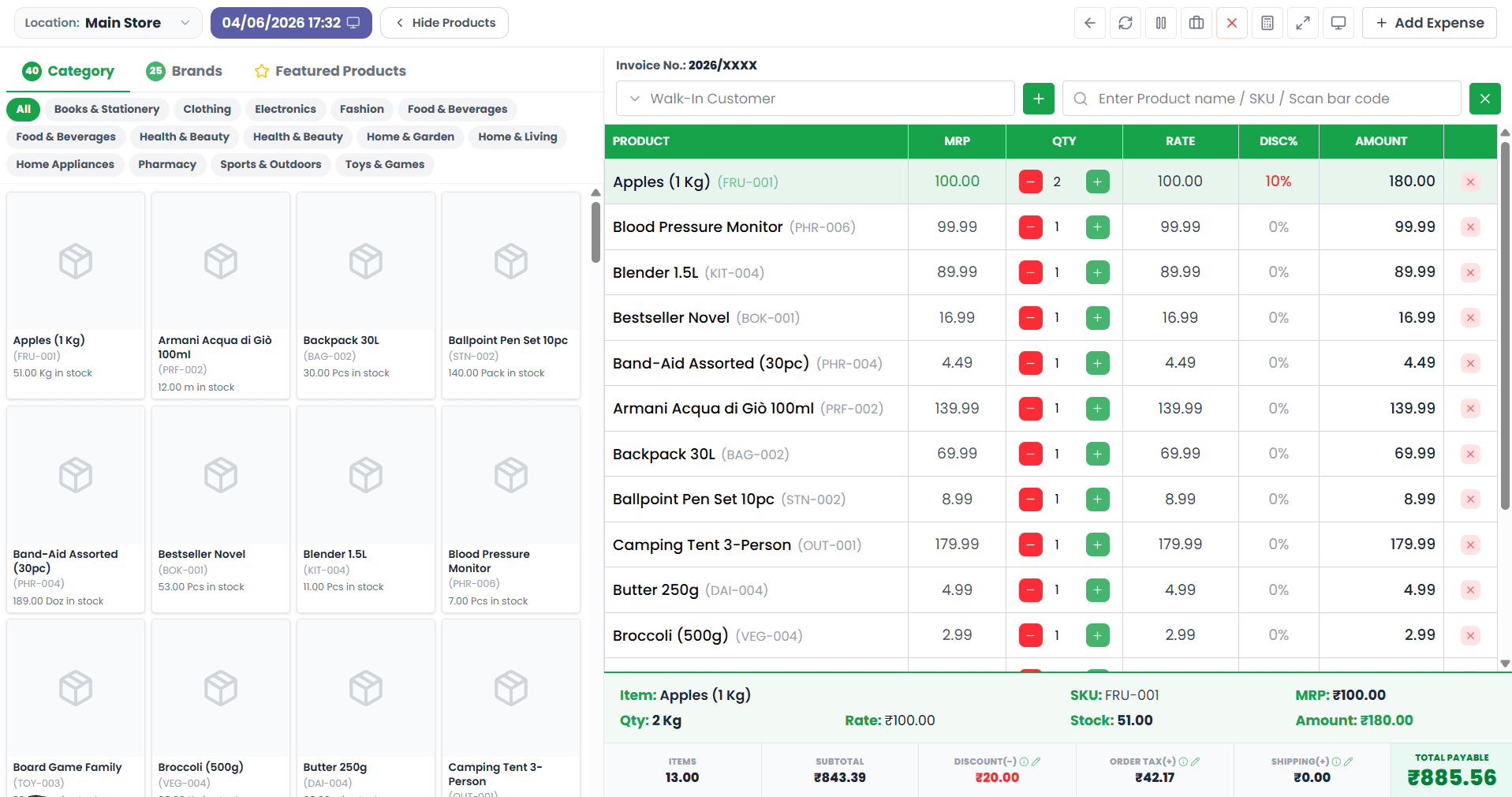
Browse categories, scan items and complete detailed counter sales quickly.
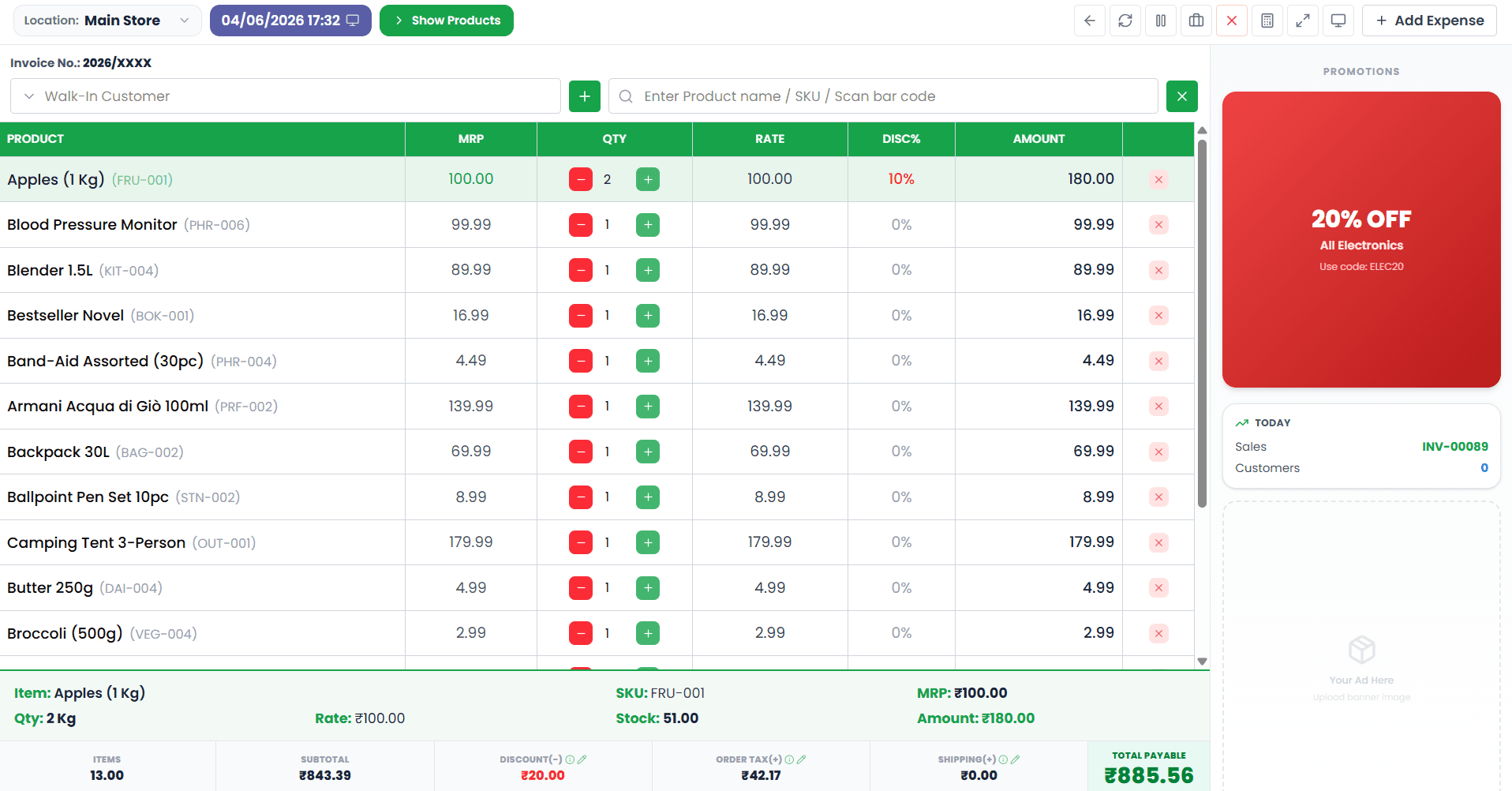
Run a clean checkout screen with promotions and daily store activity.
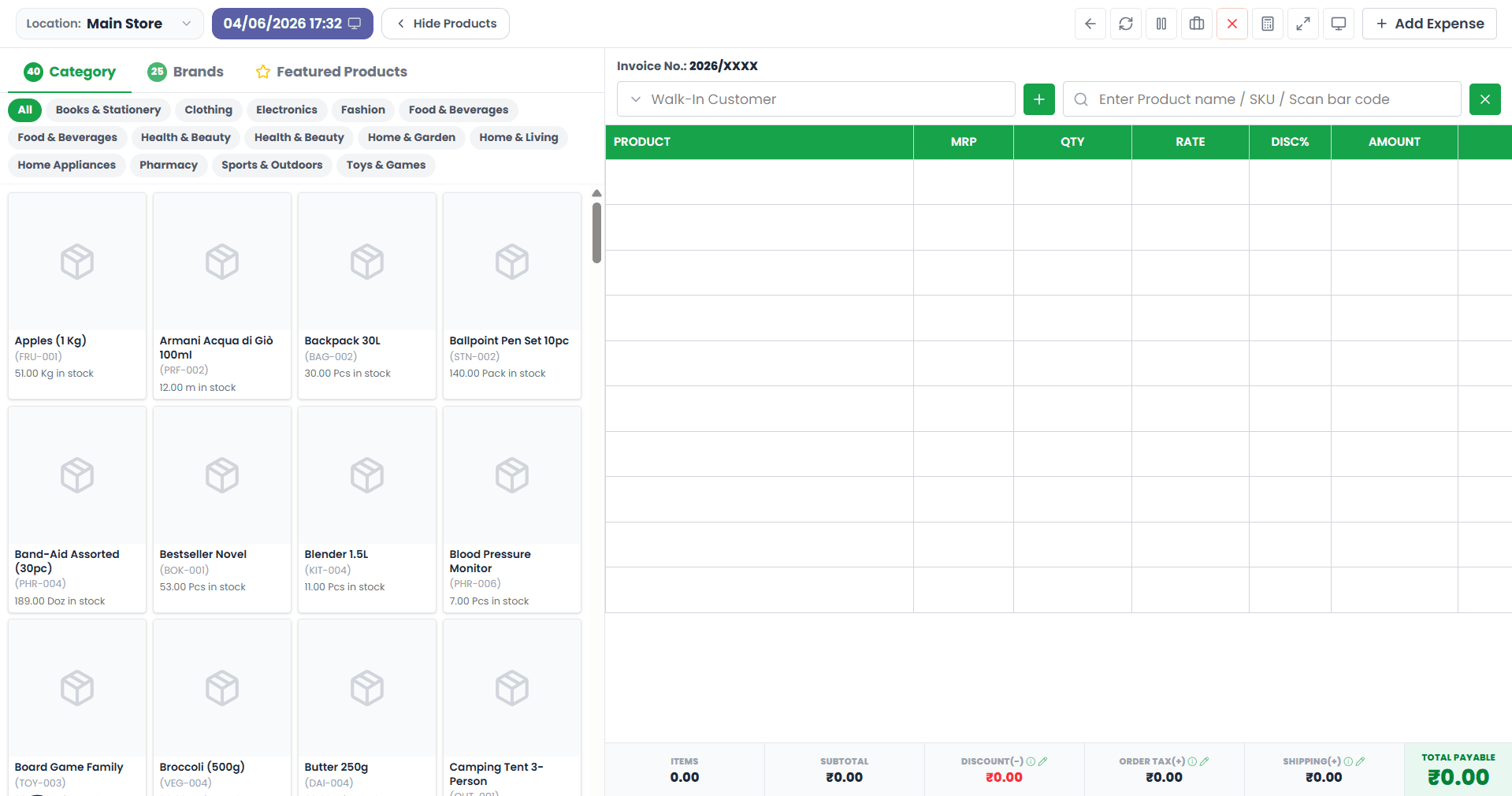
Show or hide product browsing to match the cashier’s preferred workflow.
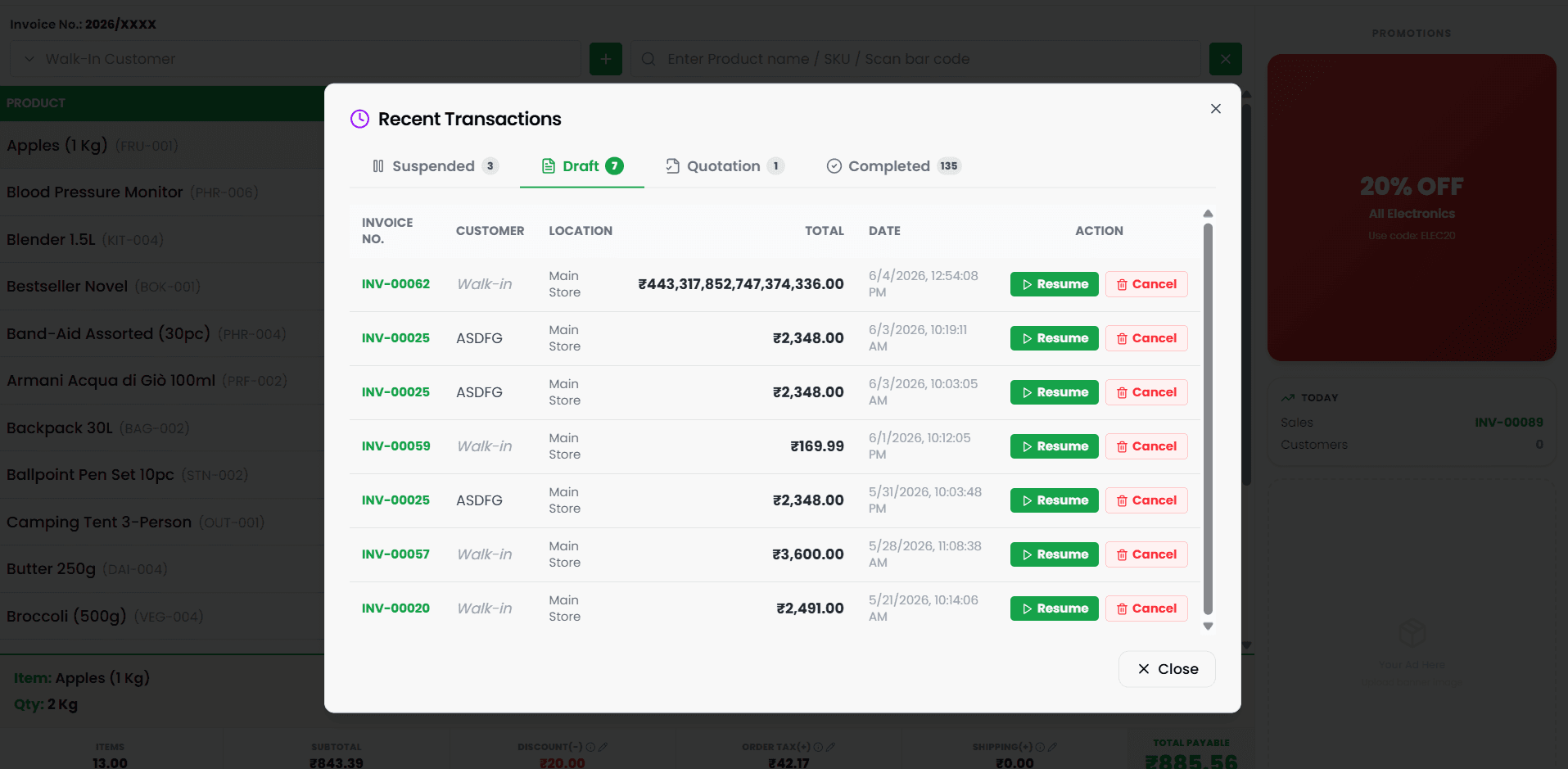
Suspend, resume, review and complete transactions without losing progress.
Store-ready commerce
Designed for daily retail work
Process sales, taxes, discounts and payments.
Scan deliveries and match purchase orders.
Share stock visibility across store locations.
Run BOGO, bundles and percentage discounts.
Implementation
Our team helps configure RetailPOS around your locations, products and operating model before supporting launch.
Review stores, registers, inventory and commerce requirements.
Prepare products, stock, contacts, tax and opening balances.
Set up roles, registers and workflows, then train each team.
Go live with human support and ongoing optimisation.
RetailPOS questions
Need advice for your store configuration? Our retail software team can review your requirements directly.
Yes. RetailPOS can continue processing sales during an internet outage and automatically synchronise transactions after the connection returns.
Teams can scan delivered items, match them against purchase orders and review quantity variances before updating stock.
Yes. RetailPOS supports common promotion models including percentage discounts, bundles and buy-one-get-one offers.
RetailPOS supports real-time commerce workflows with major platforms, including Shopify and WooCommerce integrations.
Yes. Owners can manage branch-wise stock, transfers, pricing, invoice settings and staff access from one connected dashboard.
Yes. We help prepare products, stock, contacts, tax settings and opening balances, then train users around their assigned roles before launch.
RetailPOS uses role-based permissions, controlled access, backups and traceable operating workflows to help protect business data.
Start a conversation
Tell us what you are building, improving or exploring. Our team will review your requirements and respond directly by email.