In today’s high-intensity computing world—think AI/ML, crypto mining, cloud services and high-performance workloads—traditional air-cooling systems are increasingly showing their limits. Enter immersion cooling—a cooling approach with serious potential for power reduction, higher server density, and substantial cost savings.
At CoderXpoint we’ve developed the Immersion Cooling Calculator, a powerful, interactive tool that helps you estimate the financial upside (and risks) of switching to immersion cooling. Let’s walk through why it matters, how it works, and how you can use it to build a smarter business case.
Why immersion cooling matters
Here are some key points:
-
Traditional air-cooled data centres often struggle when server density goes up or when rack power consumption rises rapidly.
-
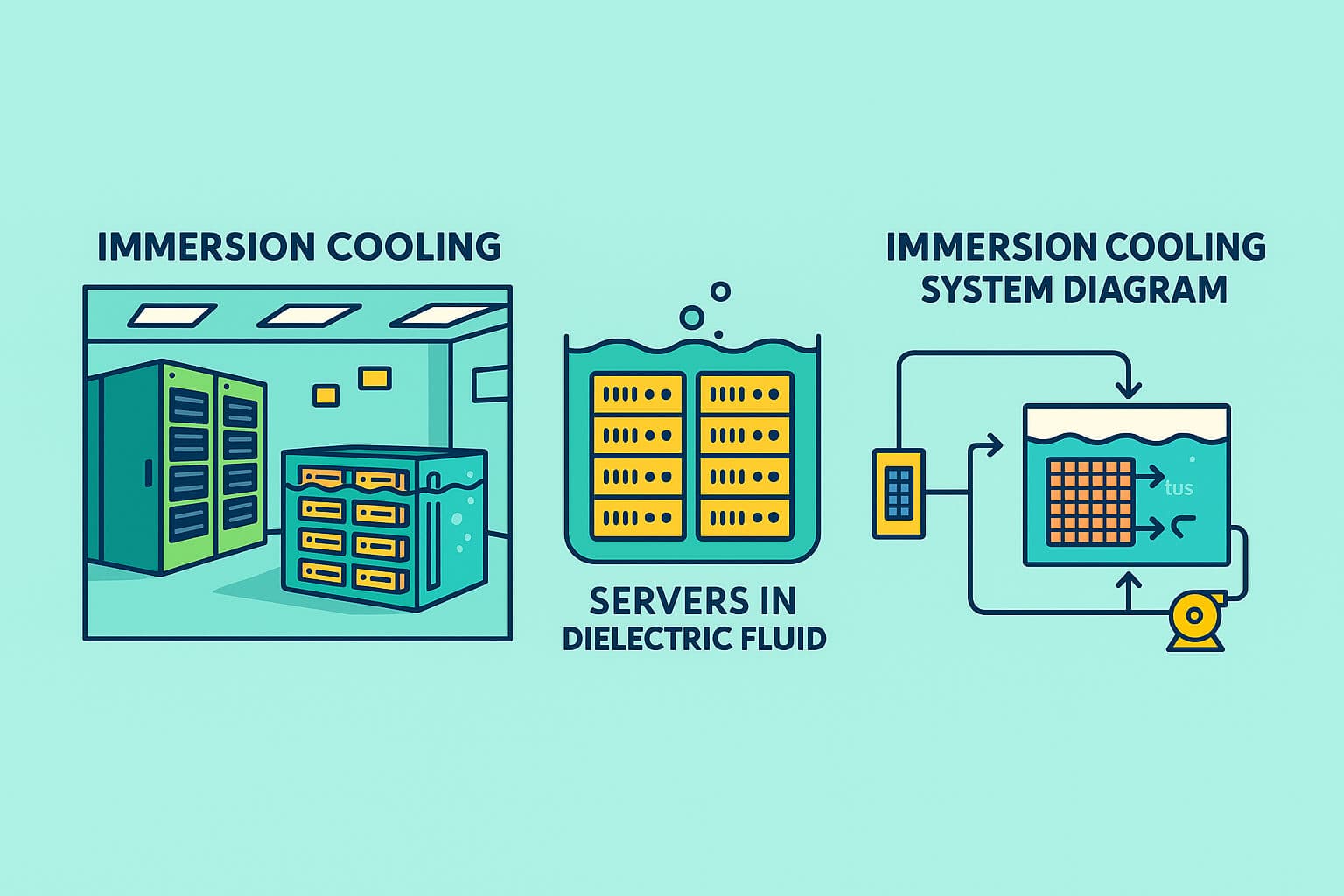
Immersion cooling—where servers are submerged in a dielectric coolant—offers much higher heat transfer efficiency, lower PUE (Power Usage Effectiveness) and allows for much higher rack densities. For example, the tool mentions potential for a PUE as low as ~1.04. CoderXpoint
-
Higher server density + lower cooling overhead = better return on investment (ROI), especially as workloads become more demanding and energy costs rise.
What the Immersion Cooling Calculator offers
The tool is designed not just for back-of-the-envelope estimates but for a comprehensive financial and operational analysis. Key features:
-
Input your system configuration: application type (AI, cloud, rendering, edge etc), server power, number of servers, utilization. CoderXpoint
-
Advanced configuration options: location tier (major metro vs rural), coolant type (e.g., 3M Novec 7100 at $45/L, Solvay Galden at $52/L) and facility type (new build vs retrofit), redundancy level (N, N+1, 2N). CoderXpoint
-
Financial parameters: electricity cost per kWh, analysis period (1,3,5,10,15 years), carbon intensity (kg CO₂/kWh) etc. CoderXpoint
-
The output covers ROI, cost savings (CAPEX/OPEX), power reduction potentials (it mentions “Up to 50 % Power Reduction” and “8× Higher Server Density – achieve 120 kW per rack vs 15 kW with traditional cooling”). CoderXpoint
-
PLUS: best-practice advice, pitfalls to avoid, timeline & milestones for deployment. CoderXpoint
How you can use it (step-by-step)
Here’s a simple workflow you could follow:
-
Gather your baseline data:
-
How many servers you have (or plan to), their average power draw (Watts), the utilization rate.
-
Your current cooling/PUE numbers if you have them.
-
Your electricity cost and carbon intensity for your country (or region).
-
Location factors: is your data centre in a major metro (higher cost) or rural (lower cost)?
-
-
Run a standard scenario in the calculator:
-
Choose your application type (for example, “Cloud & enterprise” or “AI/ML workloads”).
-
Enter your server power, number of servers, and utilization.
-
Choose coolant type, facility type, redundancy level.
-
Input your electricity cost, analysis period (say 5 or 10 years).
-
-
Review the results:
-
Look at projected power savings, CAPEX/OPEX impact, ROI period.
-
Check the density improvements: Can you rack more kW per rack? What cooling system changes are needed?
-
Consider carbon savings if relevant for your corporate ESG goals (carbon intensity input helps).
-
-
Perform sensitivity/risk analysis:
-
Try varying inputs: what if electricity cost goes up by 10-20%?
-
What if utilization drops or increases?
-
What if retrofit adds extra cost compared to new build?
-
Use the “advanced visuals/risk assessment” in the tool to understand how robust your business case is. CoderXpoint
-
-
Build your business case & deployment plan:
-
Use the “best practices” section to guide you: e.g., how to design for higher density, ensure adequate floor loading (immersion tanks weigh more), proper fire suppression and venting systems. CoderXpoint
-
Set milestones: e.g., Q1 planning, Q2 preparation, Q3 pilot deployment, Q4 full deployment. CoderXpoint
-
Incorporate cost savings, risk mitigations, timeline into your internal presentation to stakeholders.
-
Why this matters for companies in India / developing markets
Since you’re based in Ghaziabad / Uttar Pradesh (India), a few additional context points:
-
Electricity cost in India is often volatile, and the grid carbon intensity is higher than many developed countries. A tool that lets you model both is valuable for corporate-ESG reporting.
-
Many data centre operators in India are expanding fast (edge data centres, hyperscale) and density demands are increasing — immersion cooling gives an edge.
-
Retrofit scenarios (converting an existing air-cooled facility to immersion) present both opportunity and risk: you’ll need to check structural floor load, local fire/ventilation codes, and vendor availability in India. The calculator allows specifying “Retrofit – Existing” vs “New Construction”. CoderXpoint
-
Cooling in India has added complexity thanks to high ambient temperatures and sometimes inconsistent grid power; immersion cooling’s superior heat transfer and lower reliance on air-conditioning can help.
Things to watch / common pitfalls
-
The calculator itself is a preliminary estimate. The site clearly states “Before making major infrastructure investments, we strongly recommend conducting a detailed feasibility study… and consulting with qualified immersion cooling specialists and equipment vendors for site-specific analysis and accurate cost estimates.” CoderXpoint
-
Key assumptions: hardware configurations, local climate, energy costs. If those vary significantly from the tool’s default assumptions, your real-world numbers might differ.
-
Structural & safety requirements: immersion tanks are heavy; floor loading might be 2–3× traditional loads. The tool mentions “Inadequate floor loading: Plan for 2-3× weight increase” as a pitfall. CoderXpoint
-
Vendor/technology maturity: choose validated vendors, immersion-ready servers, corrosion-resistant materials. The best-practice section emphasises this. CoderXpoint
-
Thermal management & coolant lifecycle: The tool includes coolant cost types (3M Novec, Galden, custom) which impact CAPEX/OPEX. You’ll need to account for coolant replacement, monitoring etc.
Final thoughts
For data centre operators, IT infrastructure managers, CIOs and financial planners, the Immersion Cooling Calculator from CoderXpoint is a strong decision-support tool. It helps translate what could otherwise be a technical “cooling upgrade” conversation into clear financial projections, business case-readiness and risk visibility.
If you are exploring higher density workloads (AI, edge, HFT, crypto) or simply want to make your data centre more efficient, I’d recommend using this calculator early in your planning process—together with site-specific assessments and vendor consultations.
CoderXpoint Teams
CoderXpoint Teams
Passionate about sharing knowledge and insights in technology, web development, and digital innovation.